Compylr: The Modern GUI Tool for Converting Python Scripts to Windows Executables
Introducing Compylr
A modern, open-source GUI for converting Python scripts into standalone Windows executables — powered by Nuitka. No flags. No friction. Just compile.




If you've ever tried to distribute a Python application to someone who doesn't have Python installed, you already know the pain. You've heard of Nuitka. Maybe you've tried PyInstaller. Maybe you've spent an embarrassing amount of time staring at a terminal window, re-reading documentation, tweaking flags, and wondering why your output executable crashes the moment you hand it to a colleague.
That frustration is exactly what led me to build Compylr.
Today, I'm excited to officially launch Compylr — a modern, open-source desktop application that wraps Nuitka's powerful Python-to-EXE compilation engine in a clean, intuitive graphical interface. No more memorizing flags. No more copy-pasting commands from Stack Overflow. Just point, configure, and compile.
🔗 Quick Links
The Problem: Python Deployment Is Harder Than It Should Be
Python is one of the most beginner-friendly and widely used programming languages in the world. Writing Python code is a joy. Distributing it? That's a completely different story.
The moment you want to hand your Python application to someone who isn't a developer — a client, a teammate, a friend — you hit a wall. You can't just send them a .py file and expect it to run. They'd need to install Python, install your dependencies, configure their PATH, and hope nothing breaks. For most non-technical users, that's a non-starter.
The standard solution is to compile your Python script into a standalone Windows executable (.exe). Tools like Nuitka make this possible — and Nuitka in particular is exceptional at what it does. It genuinely compiles Python down to C and produces fast, portable binaries.
But here's the catch: Nuitka is entirely command-line driven.
To produce a properly configured standalone executable, you need to know your flags — --standalone vs --onefile, icon embedding, version metadata, compiler choice, plugin support, and a dozen other options. If you're new to Python deployment, the learning curve is steep and the feedback loop is slow. That's the gap Compylr fills.
What Is Nuitka, and Why Does It Matter?
Nuitka is a Python compiler that converts your Python code into optimized C source code, then compiles it into a native binary. Unlike tools such as PyInstaller — which bundle the Python interpreter alongside your script — Nuitka actually compiles your code. The result is an executable that's often faster, more portable, and less likely to trigger antivirus false positives.
For developers serious about Python deployment, Nuitka is the gold standard. It supports Python 3.8 through 3.12, handles complex dependency trees, and produces executables that behave like real native applications. The only problem is that it requires comfort at the command line — and that's exactly where Compylr steps in.
Why I Built Compylr
I've been working with Python for a while, and one recurring frustration was the compilation step. Every time I wanted to package a desktop application, I'd end up in a cycle: look up Nuitka's documentation, assemble the right command, run it, hit an error, adjust flags, run it again.
I wanted to see my configuration, not type it. I wanted to toggle options visually, understand what Nuitka would actually run before committing to a long build, and get real feedback when something went wrong.
So I built Compylr — a Python executable builder with a modern GUI that exposes every important Nuitka option as a clean visual control. Built with CustomTkinter for a polished look in both dark and light mode. Built for my own workflow first, released open source for the whole Python community.
Key Feature Highlights
Built with CustomTkinter. Looks and feels like a native desktop app.
Every Nuitka flag exposed as a GUI control — dropdowns, checkboxes, file pickers. Zero CLI required.
See the exact Nuitka command generated in real time as you configure your build.
Color-coded build output — warnings in amber, errors in red — all without leaving the app.
Automatically detects common build failures and suggests actionable fixes.
Wipe stale .build / .dist directories instantly before a fresh compile.
Switch between a portable folder output and a single compressed .exe with ease.
Set your app icon, company name, version string, and copyright — all through the GUI.
See It in Action: Screenshots
Here's what Compylr actually looks like — real screenshots of the running application.
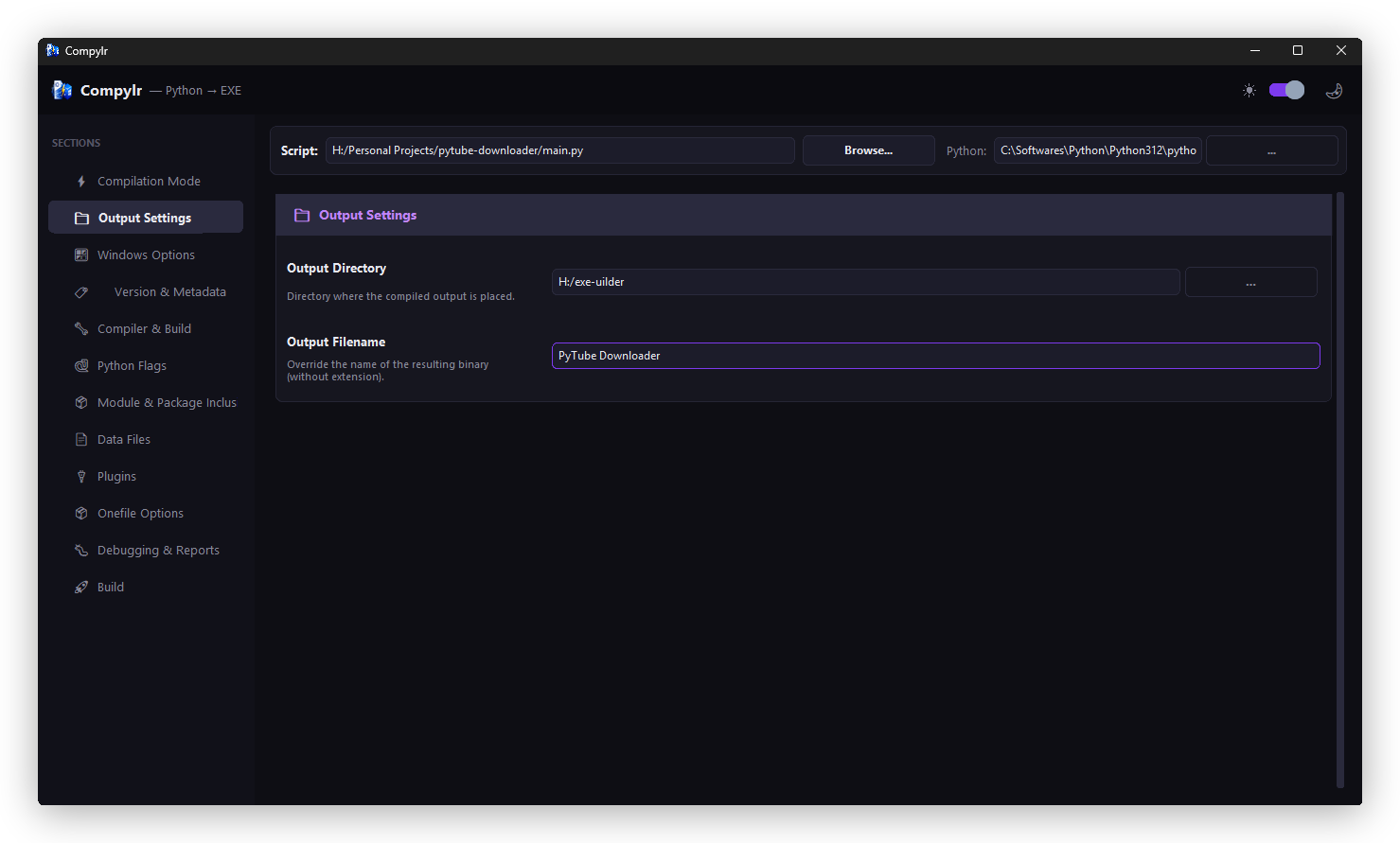
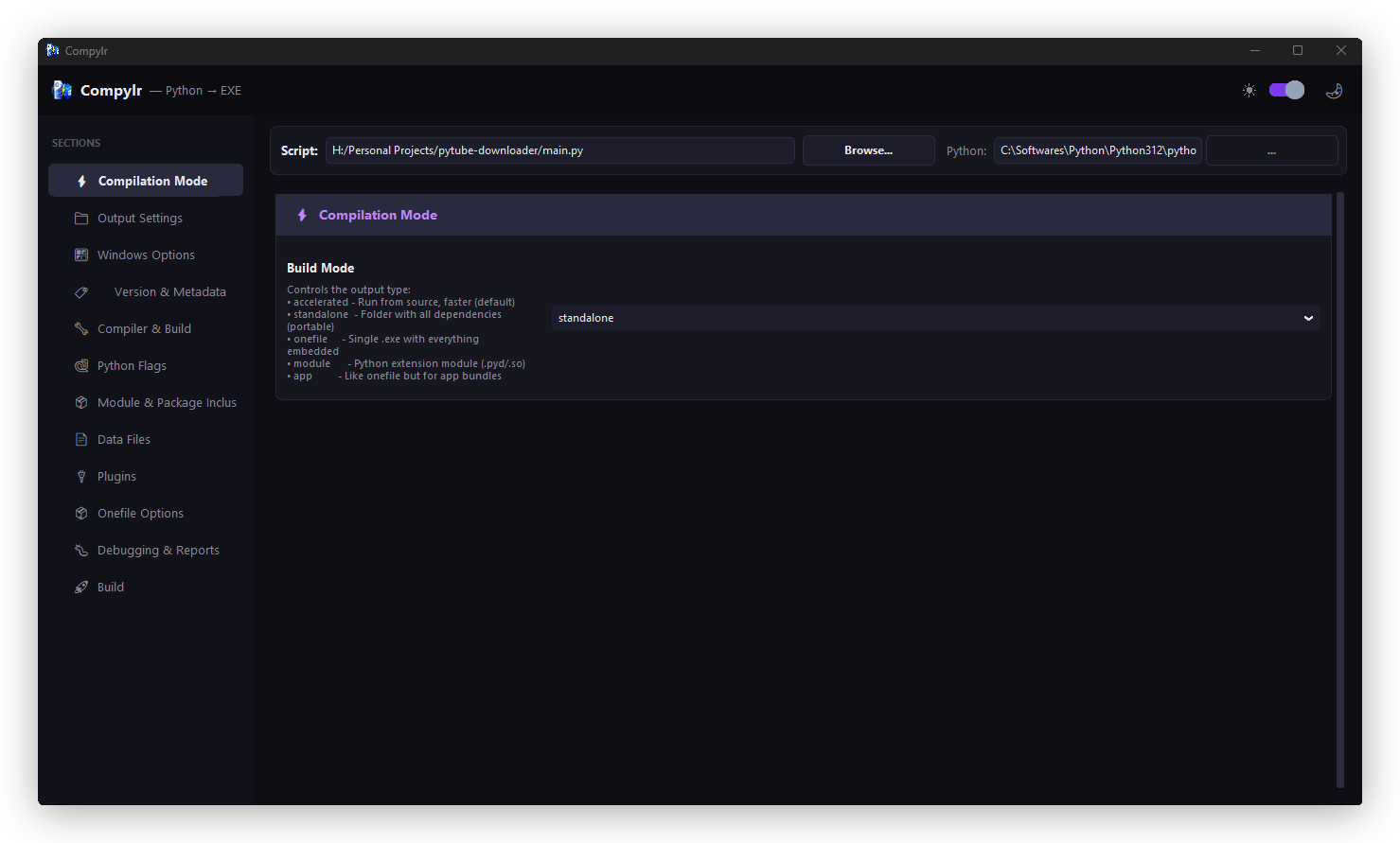 Compilation Mode & Output Settings — Choose standalone or onefile, set your output directory, and configure your executable type.
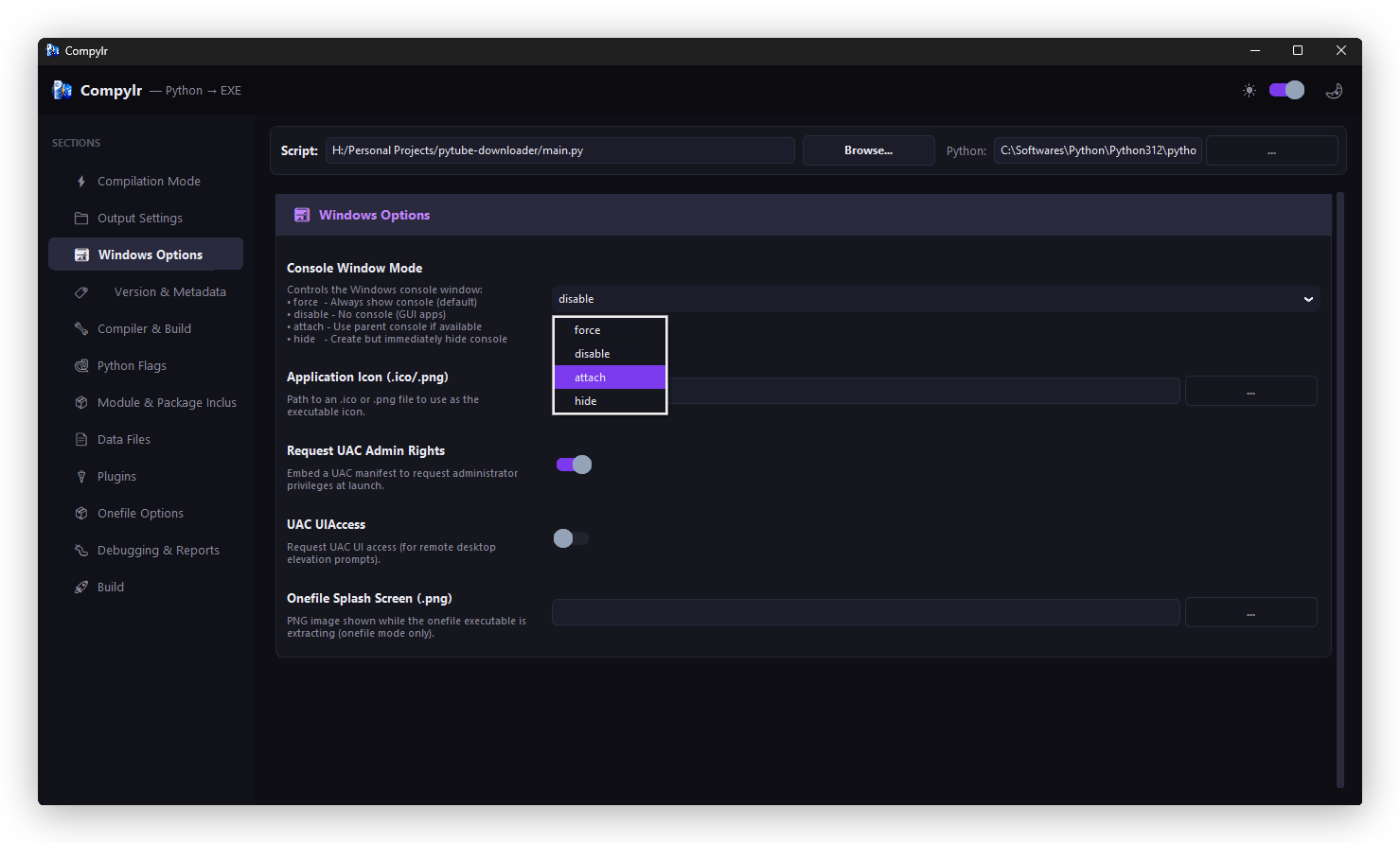
 Windows Options & Version Metadata — Embed your app icon, company name, product version, and copyright information directly from the GUI.
 Compiler & Build Options — Select between MSVC and MinGW64, toggle optimization levels, and configure build behavior.
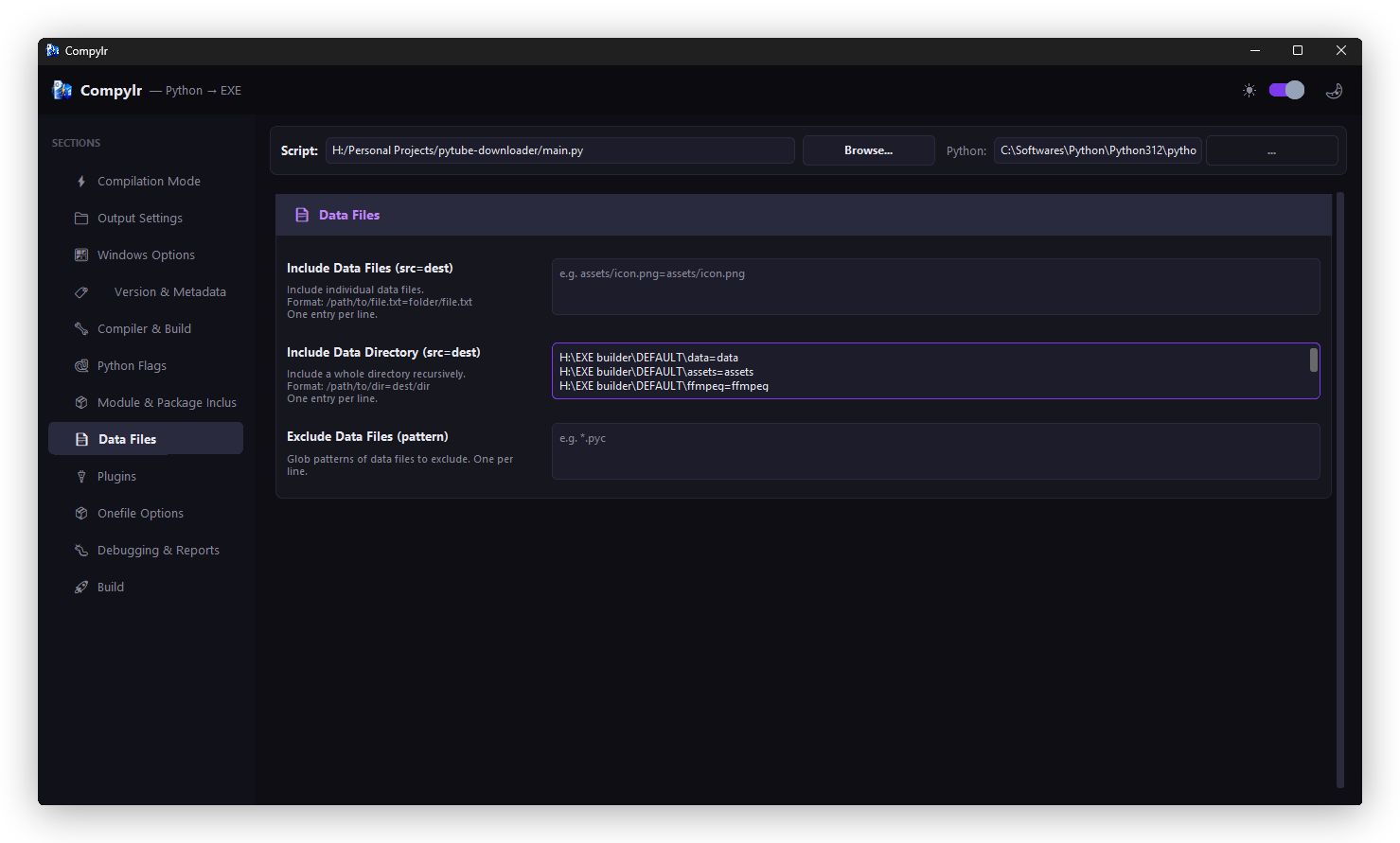 Python Flags & Package Inclusions — Specify packages, modules, or data files your script depends on.
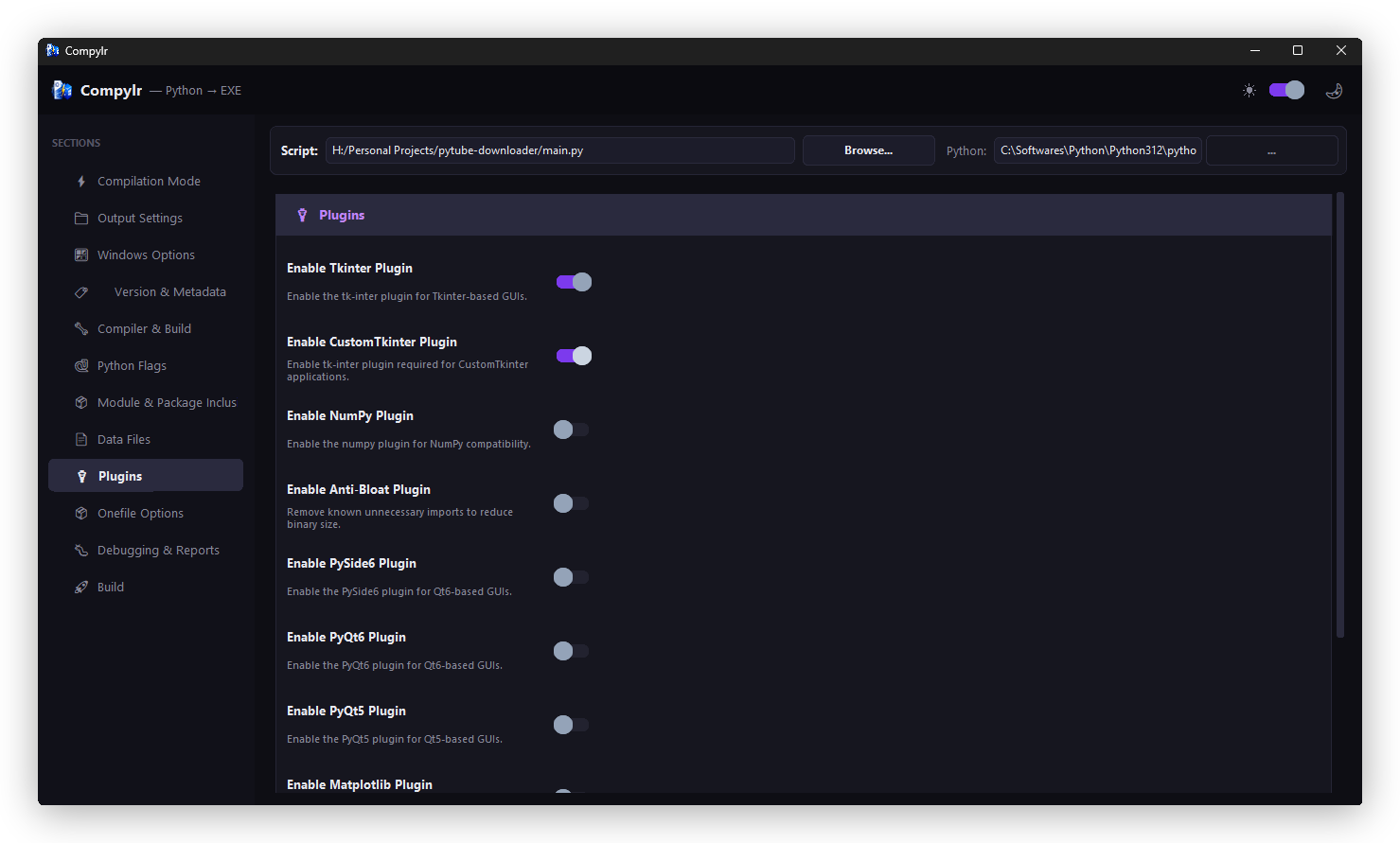 Plugins & Data Files — Enable Nuitka plugins for frameworks like Qt, NumPy, or Django with a single click.
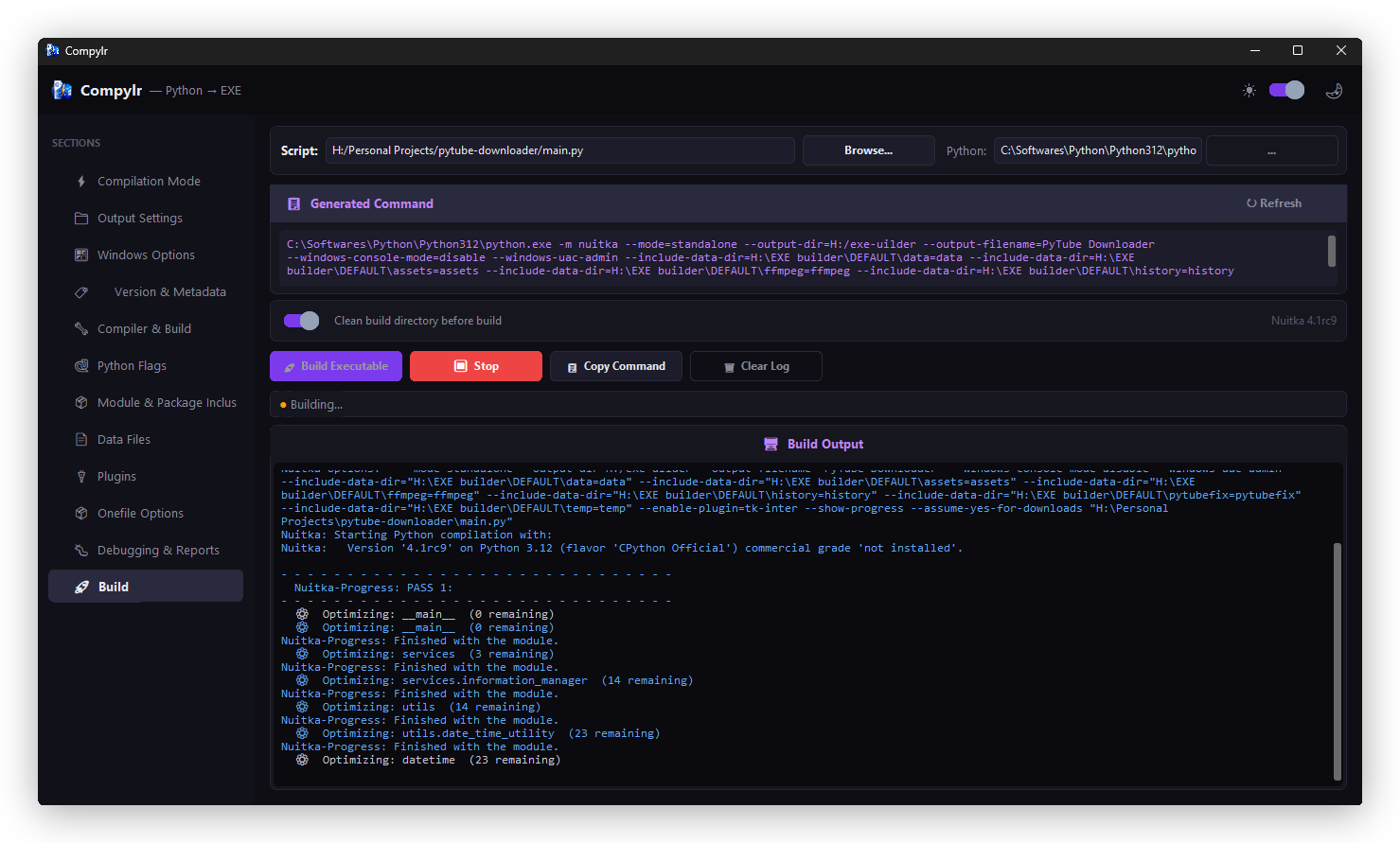 Live Build Terminal — Color-coded output tracks your build in real time. Warnings, errors, and success messages are instantly visible.
The Workflow: Script to Executable in Minutes
- Step 1 — Select your script. Use the file picker to choose the
.pyfile you want to compile. - Step 2 — Configure your build. Work through the visual panels: compilation mode, output directory, icon, Windows metadata, and compiler.
- Step 3 — Preview your command. The Live Command Preview shows the exact
nuitkacommand before you run anything. Verify it, copy it, or use it to learn. - Step 4 — Compile. Hit build. The integrated terminal shows real-time color-coded output.
- Step 5 — Distribute. Your
.exeis waiting in the output directory, ready to share.
Why Use Compylr Instead of Command-Line Compilation?
| Scenario | Command-Line Nuitka | Compylr |
|---|---|---|
| Beginner-friendly | ✗ Steep CLI learning curve | ✓ Visual, guided interface |
| See config before building | ✗ Review command manually | ✓ Live command preview panel |
| Error diagnosis | ✗ Raw error dump | ✓ Smart hints and suggestions |
| Windows metadata (icon, version) | ✗ Multiple obscure flags | ✓ Dedicated form fields |
| Stale build cleanup | ✗ Manual folder deletion | ✓ One-click clean |
| Team build consistency | ✗ Everyone writes their own command | ✓ Same GUI, same results |
| Learning Nuitka options | ✗ Documentation-heavy | ✓ Preview shows exact command generated |
Getting Started with Compylr
Prerequisites
- Python 3.8 or higher
- A C compiler: MSVC (Visual Studio Build Tools) or MinGW64 — required by Nuitka
Install via PyPI
pip install compylrLaunch
compylrThe GUI opens immediately. No config files, no setup wizards.
Or Clone from GitHub
git clone https://github.com/thisal-d/compylr.git
cd compylr
pip install -r requirements.txt
python -m compylr
📦 Install Now
- PyPI: pypi.org/project/compylr
- GitHub: github.com/thisal-d/compylr
Open Source & MIT Licensed
Compylr is fully open source under the MIT License. Use it free — for personal projects, commercial products, or internal tools — without restriction. The source code is on GitHub, actively maintained, and open to contributions of all sizes.
If you're a Python developer looking to get involved in open source, Compylr is a welcoming project. Bug fixes, UI improvements, new features, documentation updates — every contribution matters.
What's Coming: The Roadmap
- Build Profiles — Save and load named build configurations for different targets without reconfiguring from scratch.
- Dependency Scanner — Automatically scan your script's imports and include required packages, reducing trial-and-error.
- macOS & Linux Support — Nuitka is cross-platform, and Compylr will be too. High priority for upcoming releases.
- Plugin Management UI — A visual manager for Nuitka's plugin system, making Qt, Django, NumPy support easy to enable.
- Build History Log — Track past builds with timestamps and settings, so you can reproduce successful builds with one click.
Have an idea? Open a GitHub issue — the roadmap is shaped by the community.
How You Can Support the Project
⭐ Star the Repository
The fastest way to support Compylr is to star it on GitHub. It helps other developers discover the project and signals to the community that it's worth their attention.
🐛 Report Bugs & Request Features
Found something that doesn't work? Have an idea? Open an issue on GitHub. Good bug reports and feature requests are genuinely valuable — I read every one.
🔧 Contribute Code
Fork the repo, make your changes on a branch, and open a pull request. Contribution guidelines are in CONTRIBUTING.md. PRs of all sizes are welcome.
📣 Share It
Know Python developers who struggle with the executable-packaging workflow? Tell them about Compylr. Word of mouth from developers who find it genuinely useful is the best kind of growth an open-source project can have.
Conclusion
The Python ecosystem has incredible tools for writing code. But the deployment side — getting your application into the hands of non-developer users as a standalone executable — has always had a rough user experience. Nuitka is powerful, but power and accessibility aren't the same thing.
Compylr is my attempt to close that gap. It doesn't replace the command line or take anything away from power users. It makes the Python-to-EXE workflow accessible, visual, and less frustrating — for beginners taking their first steps into deployment, and for experienced developers who just want to build and ship without the overhead.
I built Compylr because I needed it. I'm releasing it open source because the Python community deserves good tooling — and good tooling is built in public, together.
Go install it. Try it on a project. Tell me what works and what doesn't. Star the repo. And if you build something cool with it, I'd genuinely love to hear about it.
pip install compylr
Comments
Post a Comment